
If you're one of the early birds, you grabbed a copy of SQL SErver 2012 - Evaluation Edition. Then chances are you recently received a message that your evluation period ended.
If you want to upgrade to another version of SQLServer 2012, this guide might help you do so.
First, you should verify which version you actually can upgrade to. Microsoft has a handy list of supported version and edition upgrades.
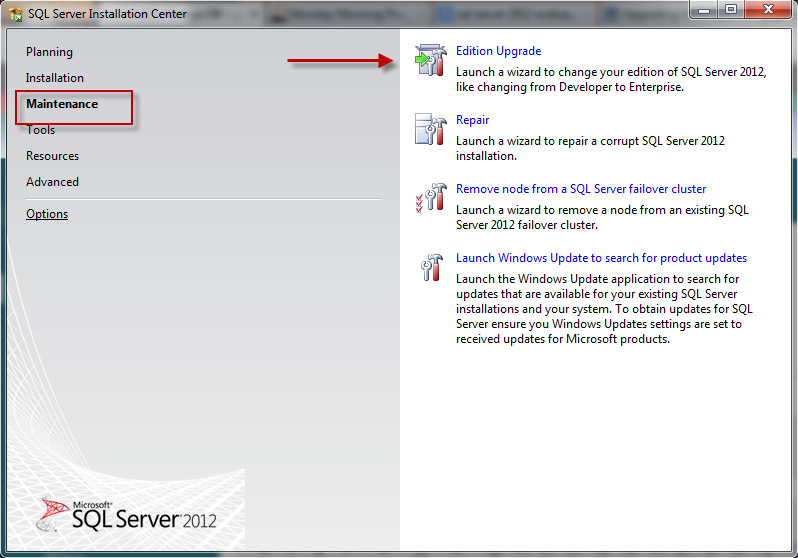
Once you have the new version in your possession, run setup.exe as you usually would. From the start screen, click on "Maintenance", and then select "Edition Upgrade":
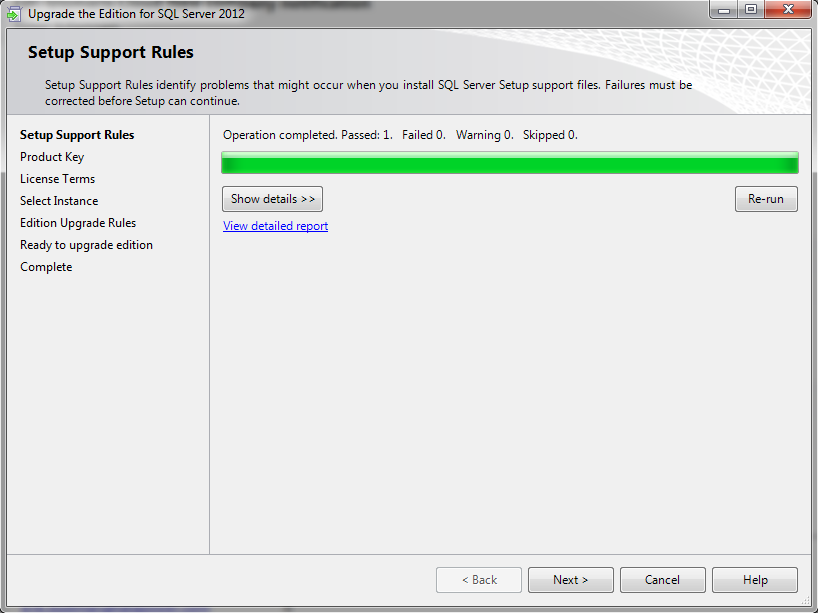
Once the support setup rules check finishes, click "Next":
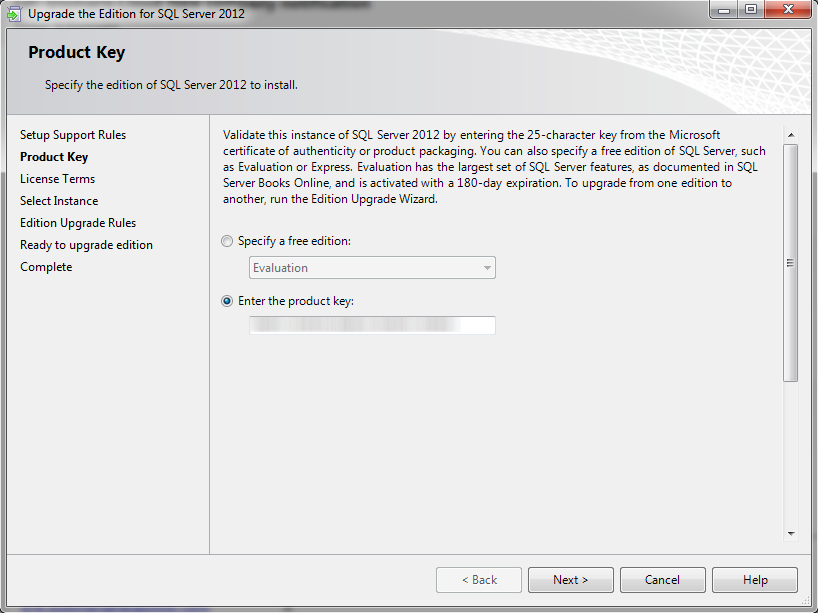
Next up is selecting either a free edition, or supplying the product key for your purchased copy of SQL Server. Conclude by clicking "Next":
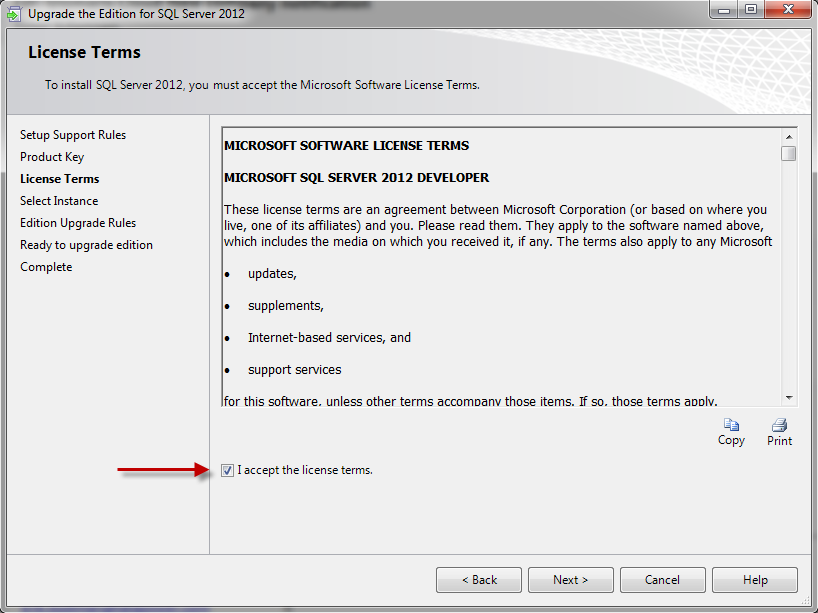
Now you will have to agree to the legal terms. Check the box indicating you agree to the license terms, and follow with "Next":
You can now pick the particular instance you wish to upgrade. In the screenshot below, it shows several different versions and editions of SQL. I picked MSSQL2012 in the drop-down list. When yuou picked the correct instance, click "Next":
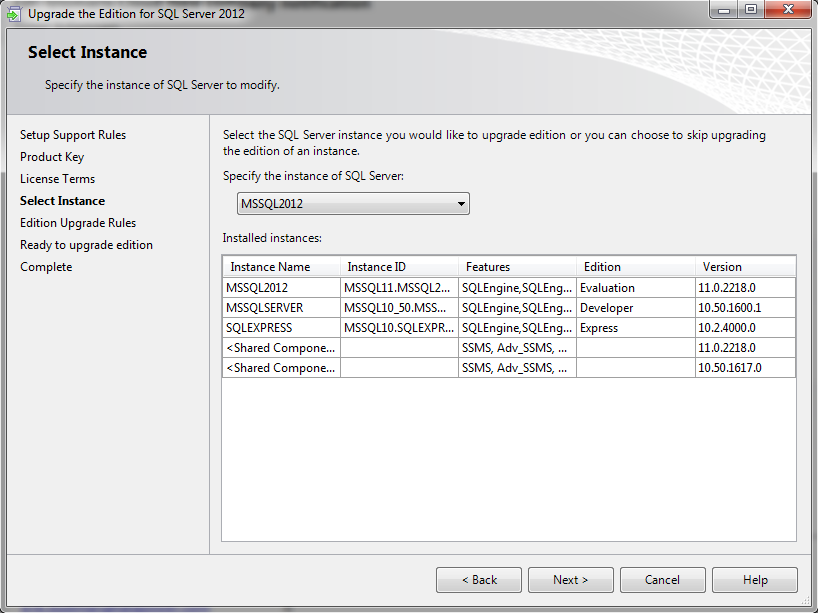
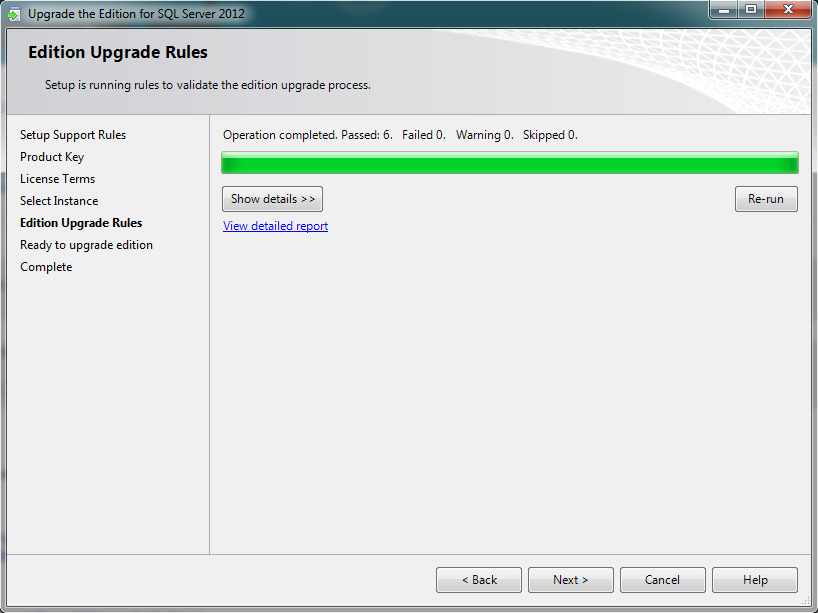
The wizard will validate your configuration at this point. If all went well, it shows all steps passed, and you can again click on "Next":
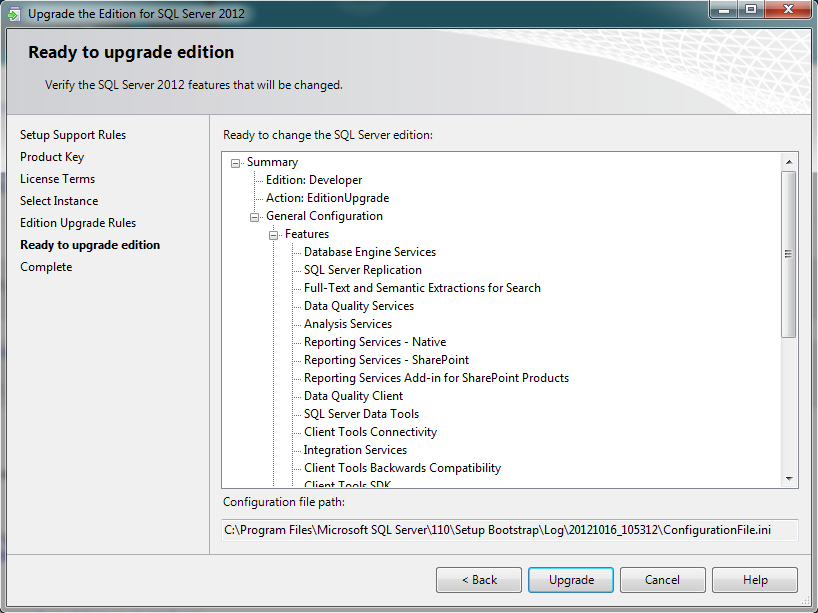
The wizard will now show you a brief overview of what it will do. Review the options, and continue with "Next":
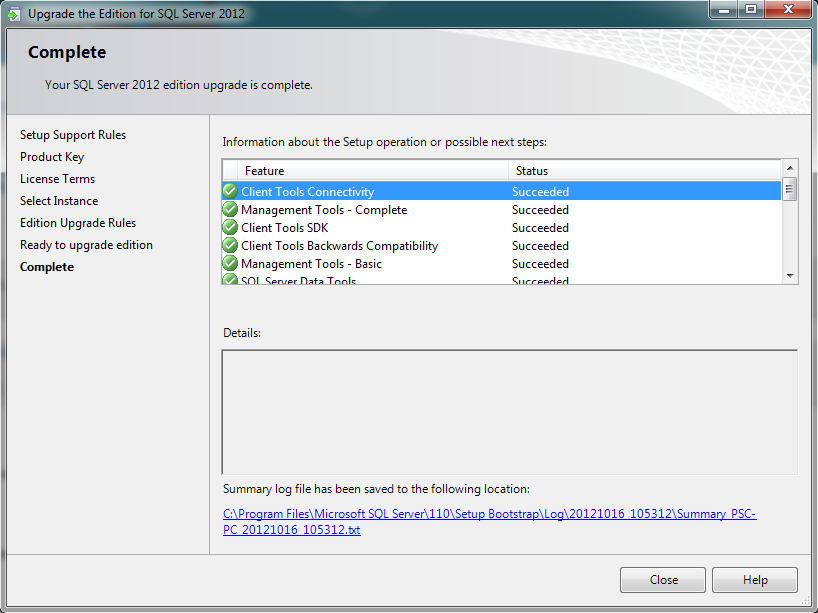
Once the upgrade finishes, you will (hopefully) see the "Complete" screen. This concludes your version upgrade! Congrtulations! Click "Close" to wrap up.
I hope this article will be of use to someone
If you want to upgrade to another version of SQLServer 2012, this guide might help you do so.
First, you should verify which version you actually can upgrade to. Microsoft has a handy list of supported version and edition upgrades.
Once you have the new version in your possession, run setup.exe as you usually would. From the start screen, click on "Maintenance", and then select "Edition Upgrade":
Once the support setup rules check finishes, click "Next":
Next up is selecting either a free edition, or supplying the product key for your purchased copy of SQL Server. Conclude by clicking "Next":
Now you will have to agree to the legal terms. Check the box indicating you agree to the license terms, and follow with "Next":
You can now pick the particular instance you wish to upgrade. In the screenshot below, it shows several different versions and editions of SQL. I picked MSSQL2012 in the drop-down list. When yuou picked the correct instance, click "Next":
The wizard will validate your configuration at this point. If all went well, it shows all steps passed, and you can again click on "Next":
The wizard will now show you a brief overview of what it will do. Review the options, and continue with "Next":
Once the upgrade finishes, you will (hopefully) see the "Complete" screen. This concludes your version upgrade! Congrtulations! Click "Close" to wrap up.
I hope this article will be of use to someone